Living Wall Designer
Create your custom artificial living wall pattern: choose from 7 material colors, layer your design, and export your vision.
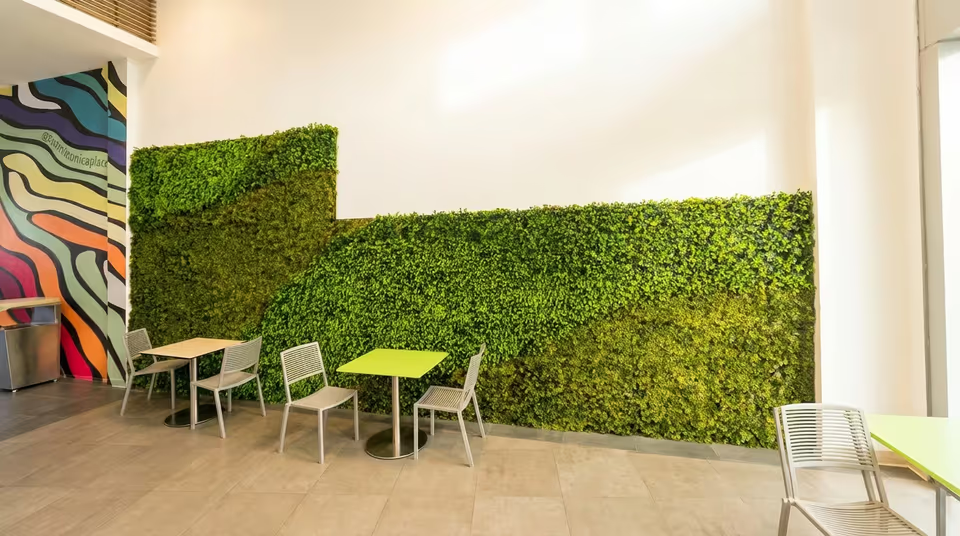
How the designer works
Each color has its own layer: the first layer is the background, the last is the foreground.
Set the wall
Enter the width and height in feet, then apply the dimensions.
Add materials
Choose up to 4 materials for your design.
Draw
Draw flowing patterns across your wall with the brush, fill and eraser.
Send for pricing
Export a PNG, or send the design so we can price your project.
- Materials
- 7 material colors: Lush Long Leaf, Dragon Leaf, Mixed Bush, Fern Mat, Succulent, Ficus and Boxwood
- Layers
- Up to 4; drag to reorder, top = front
- Tools
- Brush, fill and eraser, with adjustable brush size and smoothing
- Export
- PNG of your design
- Estimate
- Live, from your wall’s square footage
- Pricing
- Send your design for a detailed quote; no payment required
📐 Wall Dimensions
🌱 Add Materials
Choose up to 4 materials for your design
🖌 Tools
Design Canvas
Draw flowing patterns across your wall
Drawing Tips:
- Start from a corner or edge for best results
- Draw smooth, flowing curves across the canvas
- Use Fill tool after outlining to fill areas
- Layer order: First layer = background, last = foreground
Example Pattern:
Flow from corner →
Estimated Project Quote
Based on 48 sq ft of artificial living wall
Materials + Installation
Starting estimate. Final price can change with site conditions and material selections; every project is quoted individually.
📚 Layers
Drag to reorder • Top = front
No layers yet
Click "Add Color Layer" above
⚙ Layer Order
Or drag layers above to reorder
Shortcuts
Send your design for pricing
No payment required. We use this design to price your project accurately.